Secure your home office
Due to the on-going COVID-19 pandemic, remote working has become part of our day to day life. It is therefore important that you work to ensure that your home office and practises, matches the level of security you would expect to find in your professional office environment. Some important steps you can take are to :
-
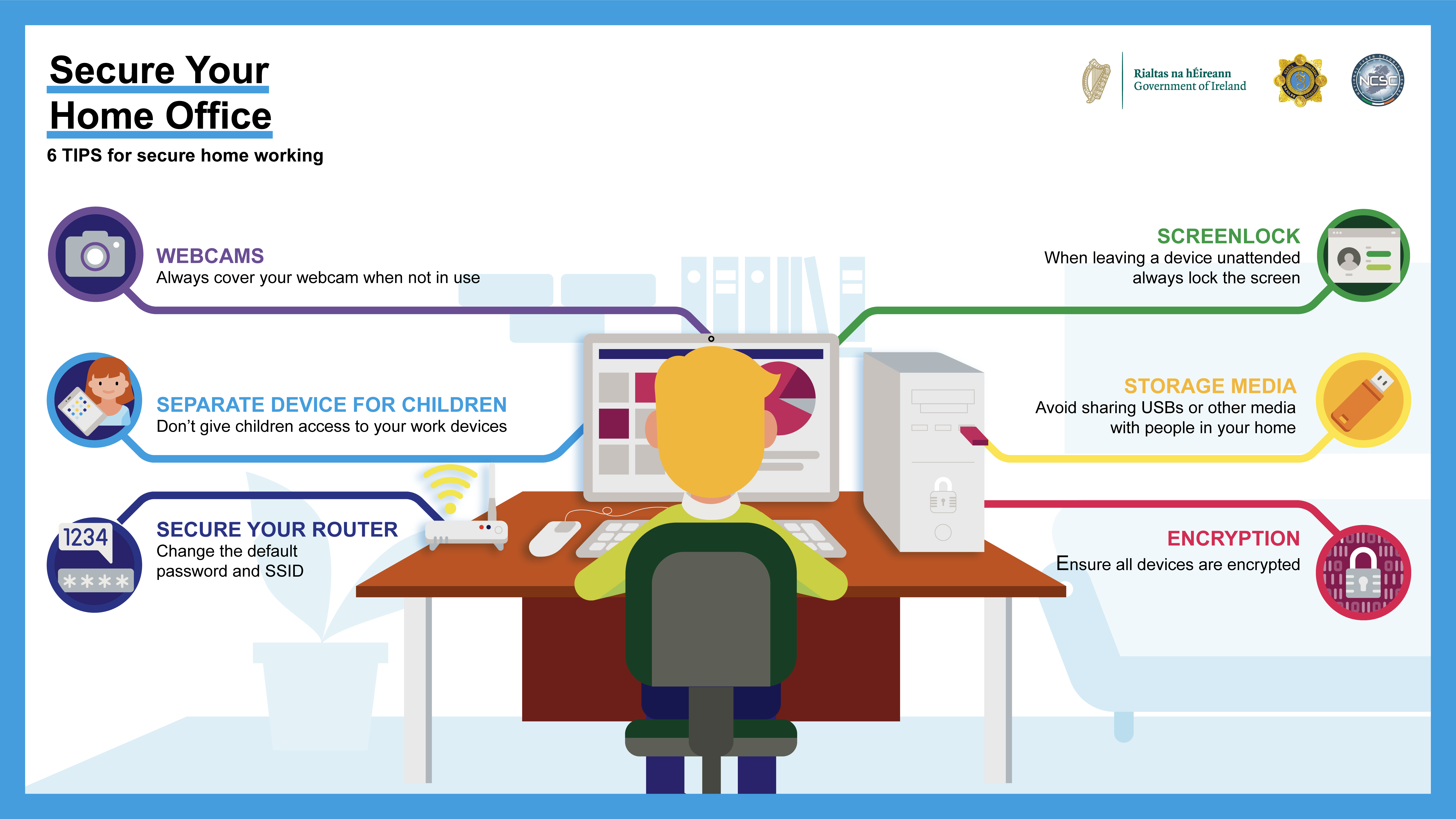
Encryption
Creating a secure partition or folder on your computer, laptop or mobile device has never been easier. Check to see if your operating system supports the creation of secure folders. Some antivirus platforms and other specialised software such as Veracrypt can be used also. Files in secure folders are less likey to be stolen or affected by malware.
-
Storage Media
Avoid sharing USBs or other media with people in your home. Malware can easily spread through removabale devices. Linking with our first point consider encrypting these media devices before storing content on them, while reducing the ability to share devices.
-
Screenlock
Most modern smart phones, for security and privacy reasons, autolock their screens after a short period time. It is good security practice to apply an autolock on your work and home computers and laptops.
-
Secure your router
Most wireless routers supplied by an Internet Service Provider (ISP), come with a predefined Wifi Network name or SSID and password. Leaving the network name unchanged, can aid threat actors in identifying and exploiting known vulnerabilities for your device, to gain access to your home network. The autogenerated password supplied with your wireless router is generally shorter than the recommended 12 characters and can use a reduced character set. Both of these factors, greatly reduce the strength of your password and poterntially allow threat actors easier access to your home network.
-
Seperate device for children
Don't allow your kids or other members of your household access to your work devices.
-
Webcams
It is good practice to cover webcams when not in use. Doing so can give you extra privacy and piece of mind, on and off video calls.
The National Cyber Security Centre (NCSC) Working From Home Security Advice has sections dedicated to how to manage your devices, video conferencing, passwords and securing your wireless networks.